
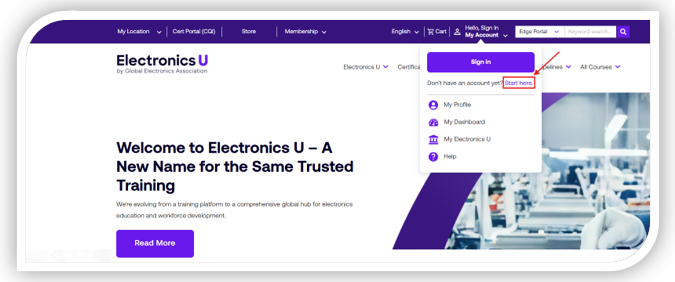
- Navigate to https://www.electronicsu.org, hover over Hello, Sign In and click Start here.
- Enter your personal information into the fields supplied
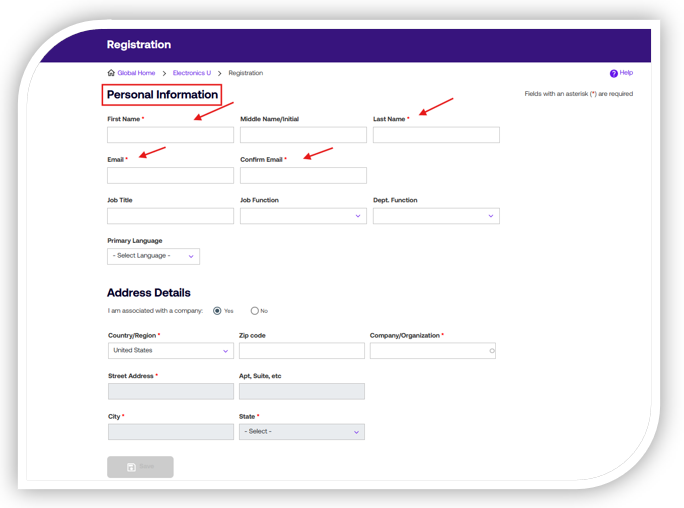
- Any fields denoted with a red asterisk are mandatory
- Enter your Address Details in the next section - This is where you will connect to the company you work for.
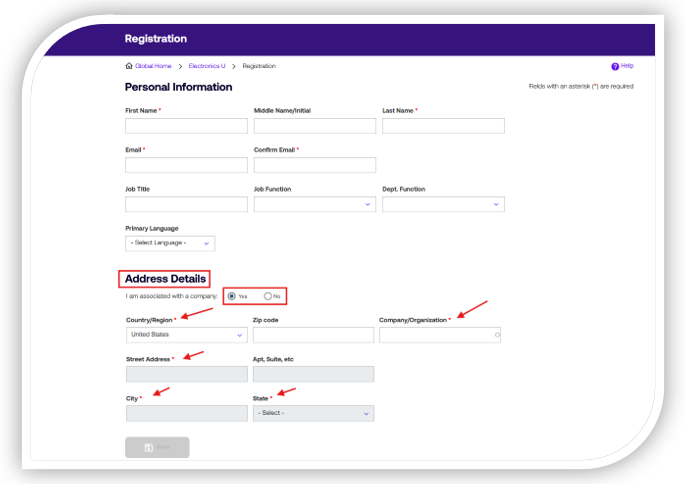
- If you are associated with a company, check Yes and enter the company's country and name. This will generate a drop-down where you select the company location you belong to. NOTE: You can also narrow your search by using the zip code box. Once chosen, the rest of the address lines will populate with the information.
- If you are not associated with a company, check no, and enter your address information.
- Any fields denoted with a red asterisk are mandatory
- Click Save
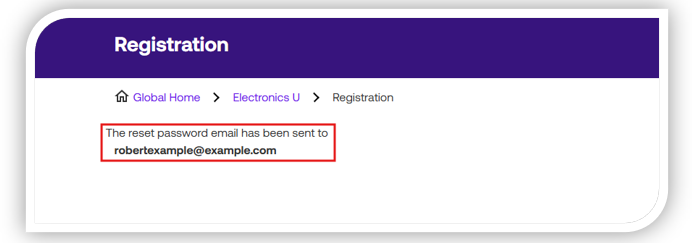
- You will now receive a screen stating that a password email was sent to you. Go to your email and follow the instructions to set your password.
- Once you set your password, log in to your account. Upon your first login, you will be presented with a policy agreement. You'll need to accept this to move forward.
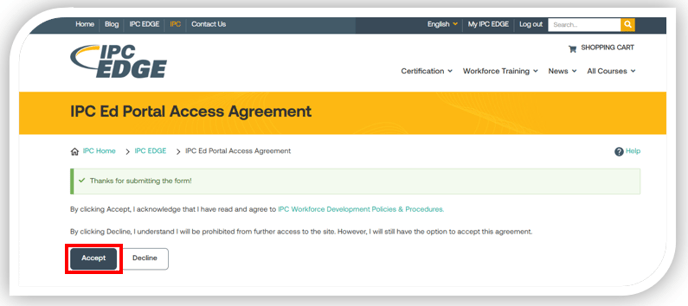
- Once accepted, you will be presented with a pop-up to review and confirm your profile information. Please review this carefully, ensuring your name is spelled correctly and that the company information is accurate. If it looks good, click Save.
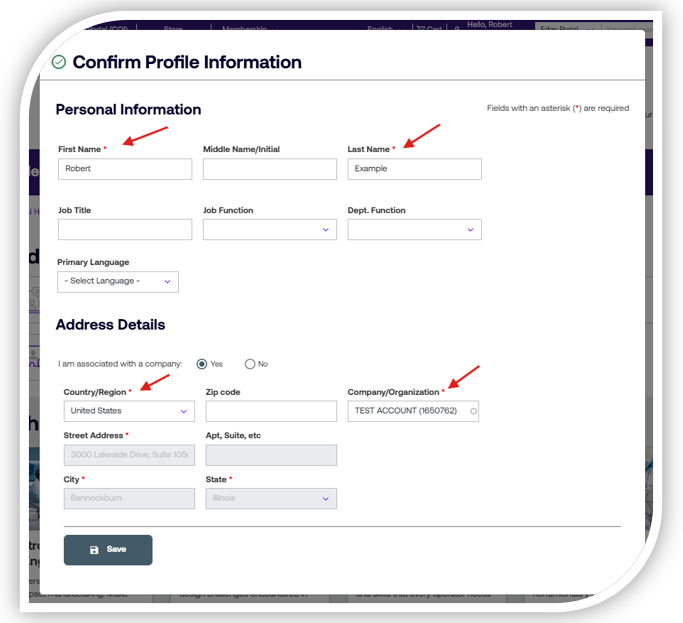
- Please note: This is the last time you can edit your name. If you need to change your name or email address, contact customer service at contact@electronics.org. You can change your company at any time within your profile.
- You are now ready to access your vouchers and/or courses. If you need additional help, you can contact us at support@electronicsu.org.