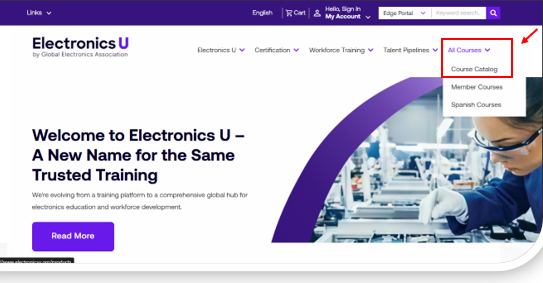
- Navigate to https://www.electronicsu.org/
- Click All Courses or Course Catalog to access available Workforce Training Courses.
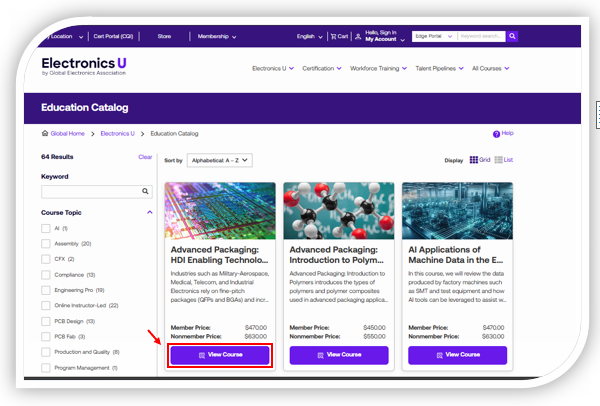
- Select the View Course button for the Workforce Training course you want to purchase.
Note: On the left of the page, you can narrow your search by Keyword, Course Topic, Language, Level, and Modality.
- You are now on the Course Details Page, which contains course details such as Course Content, Pricing, Language, Modality (Self-Paced or Online Instructor-Led), and Class Schedules (Online Instructor-Led).
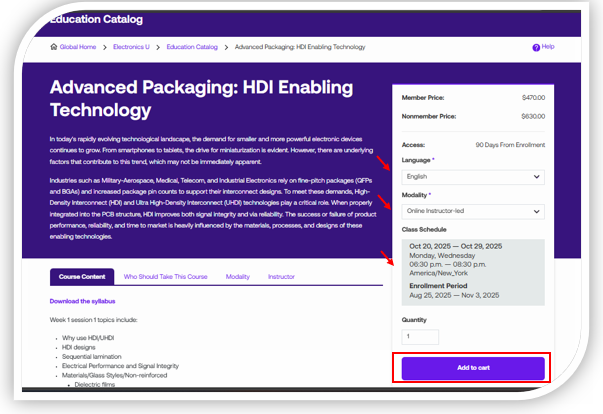
- Once you have made your appropriate selection, including the quantity of vouchers you would like, click on the Add to cart button
- You will be directed to Go to Cart or Continue Shopping. If no other courses are purchased, select Go to Cart. Then, start the checkout process and verify that your items have been added.
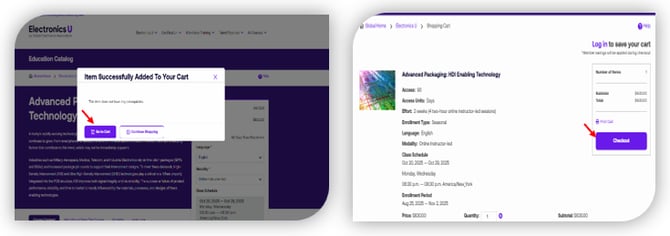
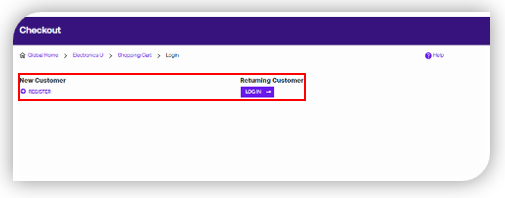
- Select the Checkout button, and you will be directed to Log In with your existing credentials. If you are a New Customer, select the Register button.
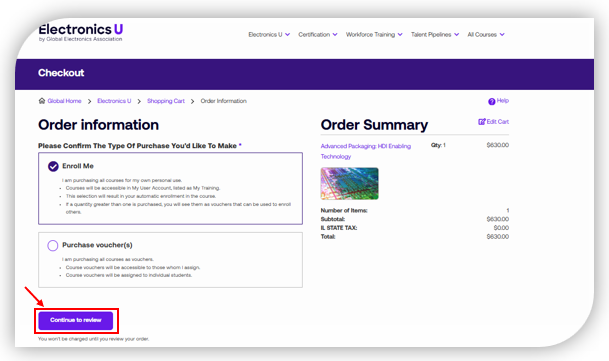
- Once logged in, you will be given two options before selecting the “Continue to Review” button.
- Enroll Me: I am purchasing all courses for my own personal use and would like to be directly enrolled immediately after payment processing.
- Purchase voucher(s): Course vouchers will be assigned at a later time or to another individual.
- You are now on the Order Review/Summary page, where you will have the option to enter the following:
- Coupon Code – Promotion code is entered for any current Global Electronics Association promotions on Workforce Training Courses. Select Apply Coupon after entering a valid promotion code to see the discount applied to your item.
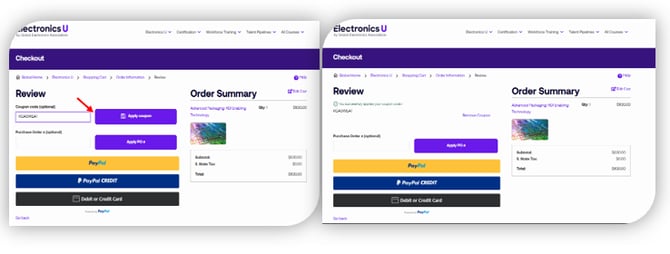
- PayPal – A small window will appear requesting your PayPal login credentials.
- PayPal Credit – A small window will appear requesting your PayPal login credentials.
- Debit or Credit Card—Enter your Debit or Credit Card Details. This section also utilizes the PayPal system. If PayPal is unavailable in your country, you may purchase Workforce Training Vouchers through our Customer Service department at contact@electronics.org or +1 847 615 7100.
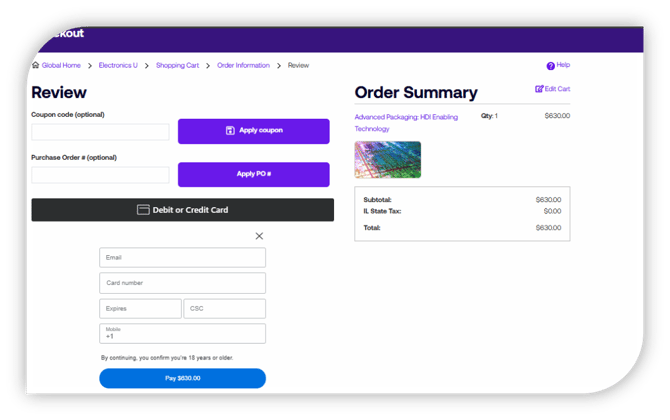
- Coupon Code – Promotion code is entered for any current Global Electronics Association promotions on Workforce Training Courses. Select Apply Coupon after entering a valid promotion code to see the discount applied to your item.
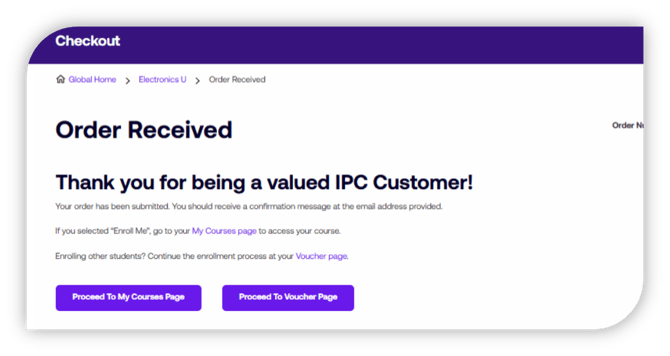
- After entering your payment details and selecting the Pay button, you will be directed to the Order Received confirmation page. You can proceed to the Voucher page to complete the enrollment process, or if you selected the “Enroll Me” option during checkout, you can select “Proceed to my courses page” to locate the course start button.
English