
-
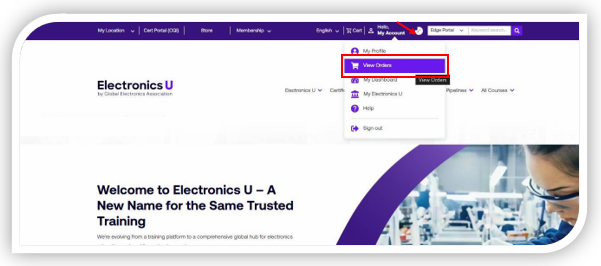
Log in at https://www.electronicsu.org and click View Orders.
-
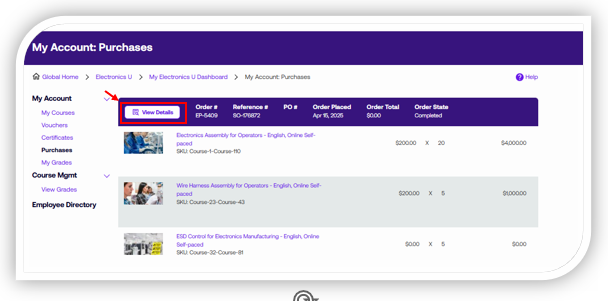
Select View Details for the order for which you wish to access the sales order.
-
Select View or Print Sales Order
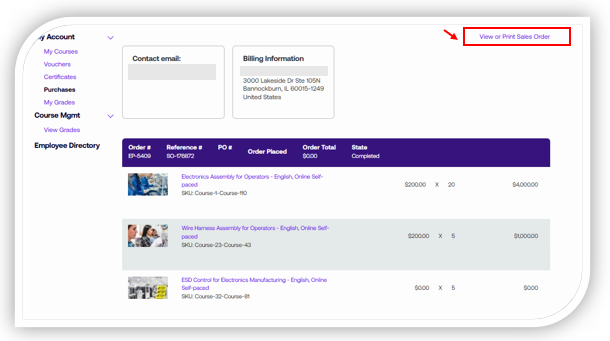
Note: The Sales Order will open in a separate browser window for download or printing.
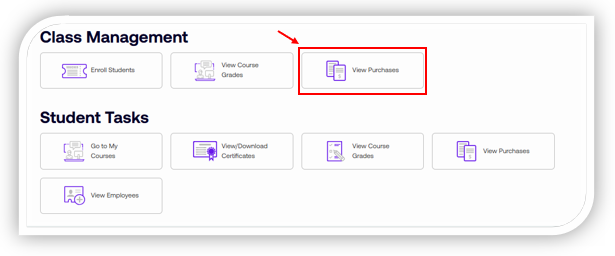
- You may also access your Purchase History from your dashboard by selecting View Purchases
If you need additional help, please contact us at support@electronicsu.org.