-
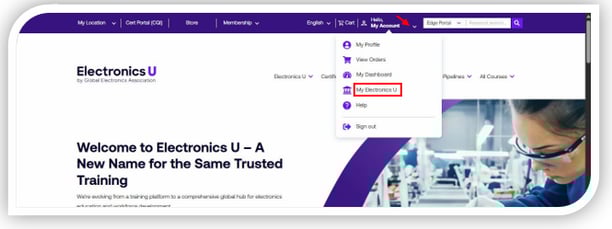
Log in at https://www.electronicsu.org and click My Electronics U to access the dashboard.
-
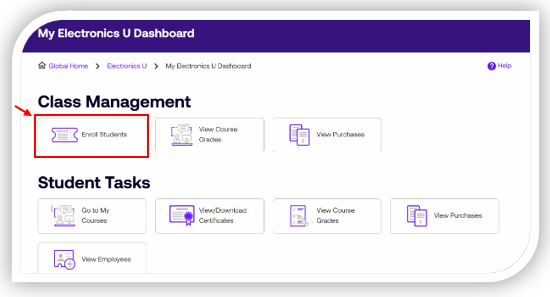
Click Enroll Students
-
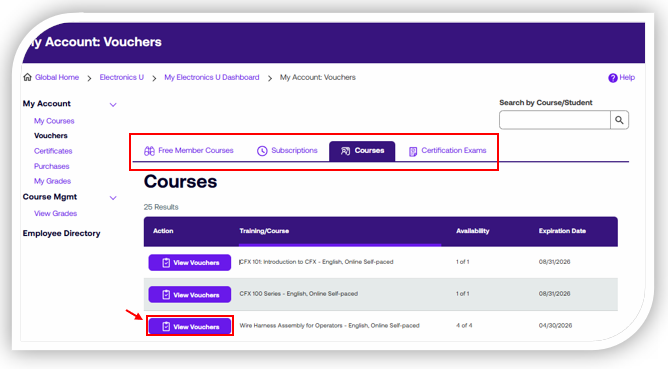
Click View Vouchers next to the course title that contains the voucher you wish to transfer.
-
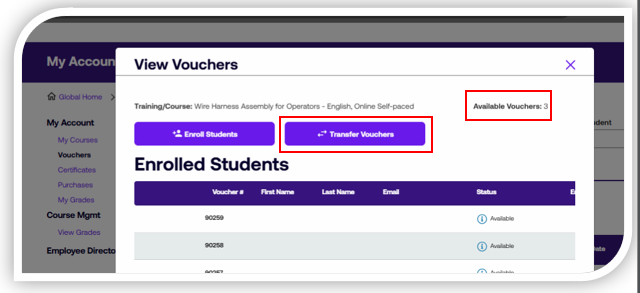
Select Transfer Vouchers
-
Enter the First Name, Last Name, Email, and Number of Vouchers to transfer, then click Submit.
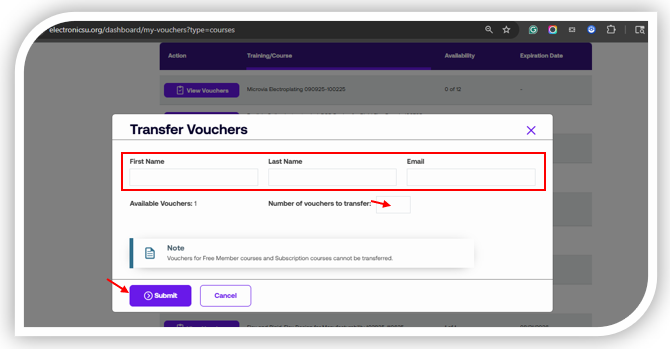 Note: You can only transfer vouchers that have been purchased; you cannot transfer any free member or subscription course vouchers.
 -
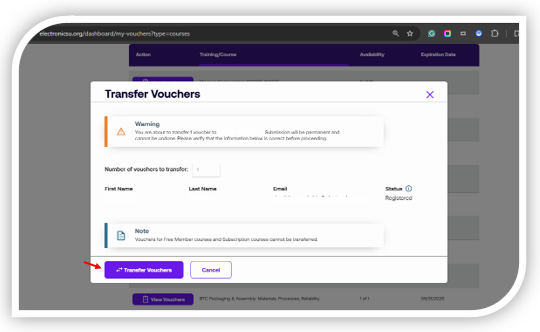
Verify that the information entered is correct, then click Transfer Vouchers.
Note: Once a voucher is transferred, it cannot be undone. Be sure to double-check the email before confirming. Once the voucher is transferred, it will no longer be accessible.
If you need additional help, please contact us at support@electronicsu.org.
English