
-
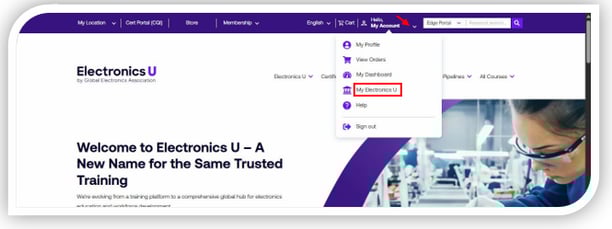
Log in at https://www.electronicsu.org and click My Electronics U to access the dashboard.
-
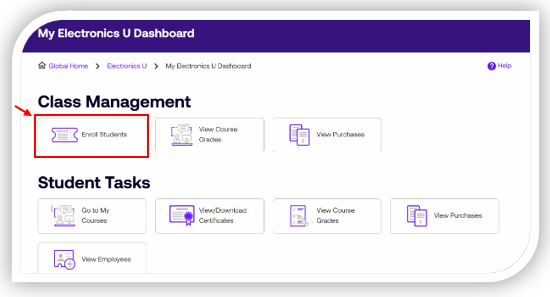
Click Enroll Students
-
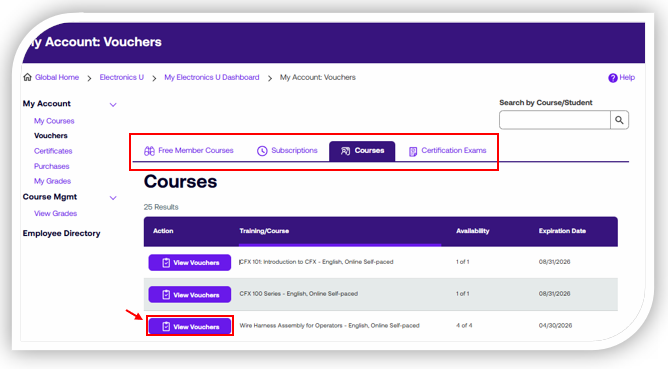
Select View Vouchers next to the course title you want to resend the enrollment email from.
-
Find the student’s name, click on Actions, and then click on Resend Email.
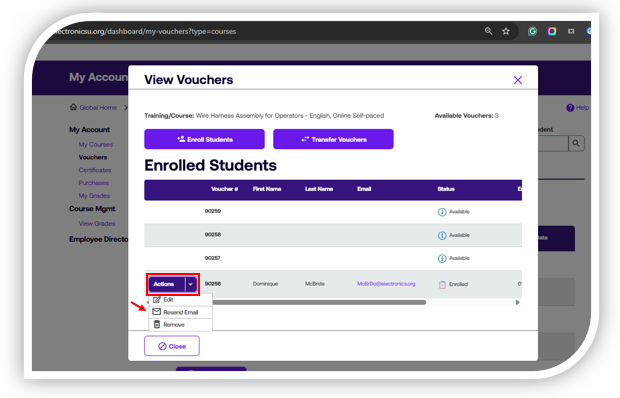
Note: This option will only appear if the student has not yet started their course. If they have accessed and started the course, there will be no Actions button available to you.
If you need additional help, please contact us at ipcedge@electronics.org.