
- Log in at https://education.ipc.org/ and select My Electronics U.
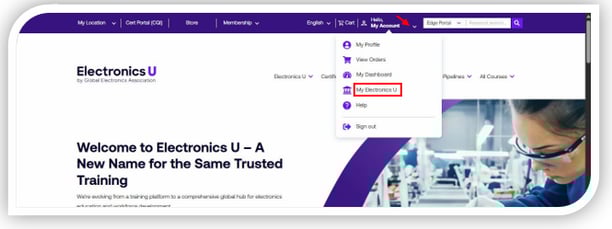
- This will open a new tab in the web browser.
a. Please note you may be asked to log back in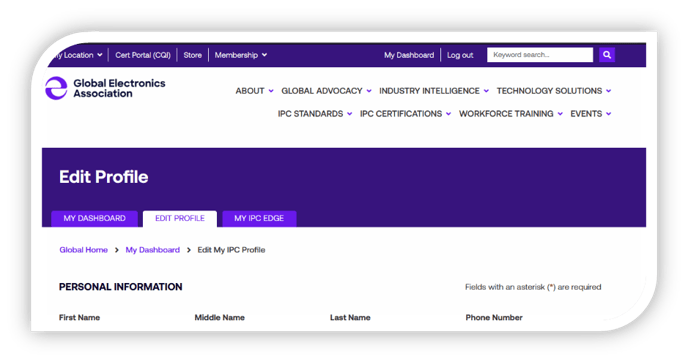
- In your profile, scroll down to the Address Details section.
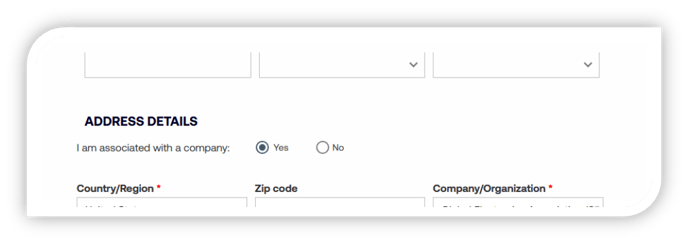
- To change the company affiliation, click on the Company/Organization box. Be sure the country where you are located is selected, then enter your company name to receive a drop-down of options. When you see your company location in the drop-down, click on it to choose it.
a. Please note you can use the Zip Code field to narrow your search.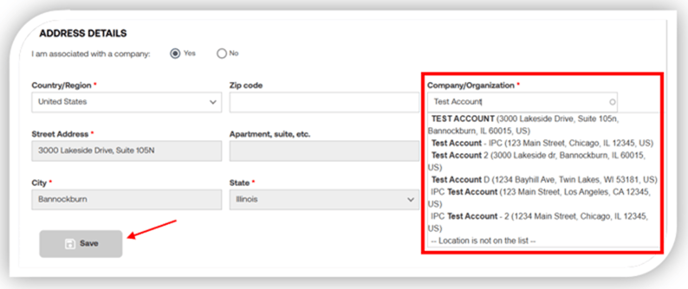
- Click Save at the bottom of the page to save any changes made.
If you can't find your company location or have additional questions, please email us at support@electronicsu.org or call +1-847-615-7100.