
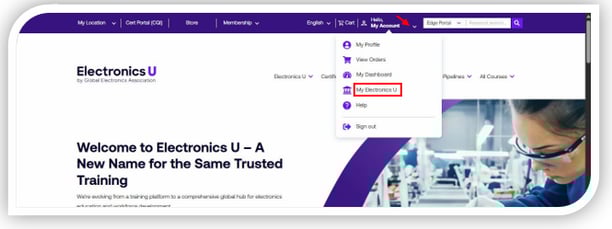
- Log in at https://education.ipc.org/ and click My Electronics U to access the dashboard.
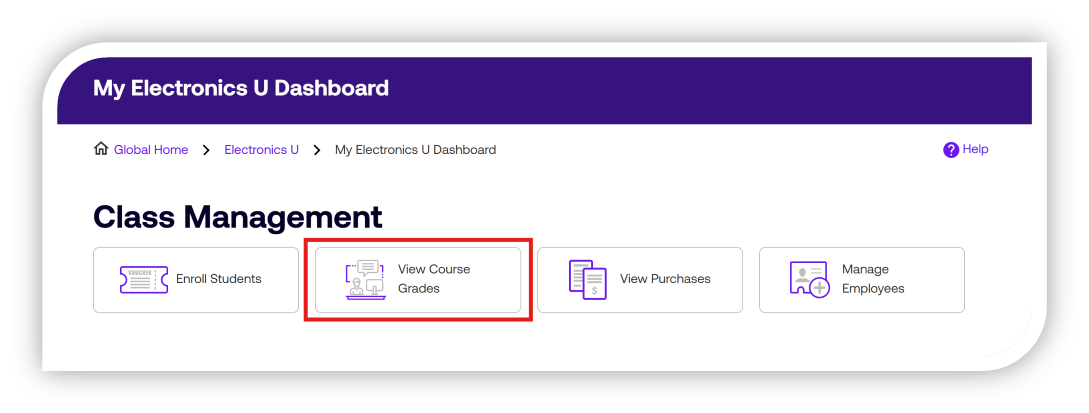
- Click View Course Grades under the Class Management header.
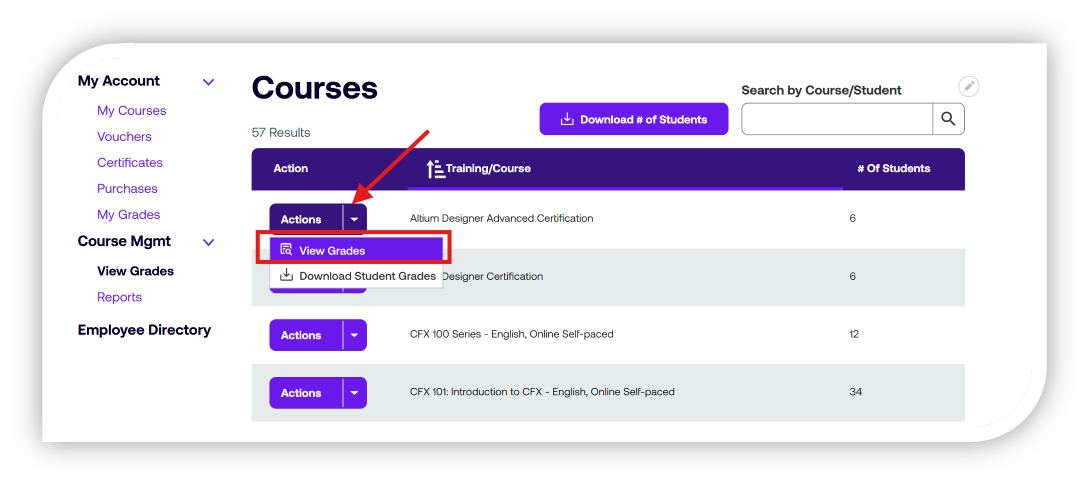
- Next to the course name for the grades you want to access, select the Actions button and View Grades.
- The grades will be displayed based on the course modules and final exams. Once the student downloads their certificate, the option to view and download their certificate will appear with the download icon to the left of their name.
- You can also export all grades or selected grades. The exported grades will be displayed as a CSV file under “downloads” on your device.
- You can also export all grades or selected grades. The exported grades will be displayed as a CSV file under “downloads” on your device.
If you need additional help, please contact us at support@electronicsu.org.