-
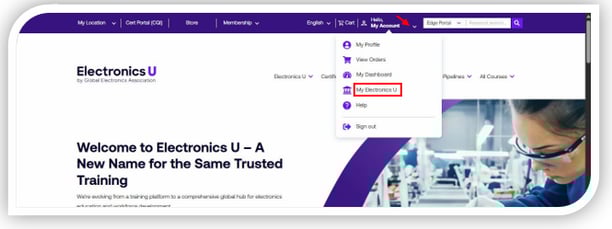
Log in at https://education.ipc.org/ and click My Electronics U to access the dashboard.
-
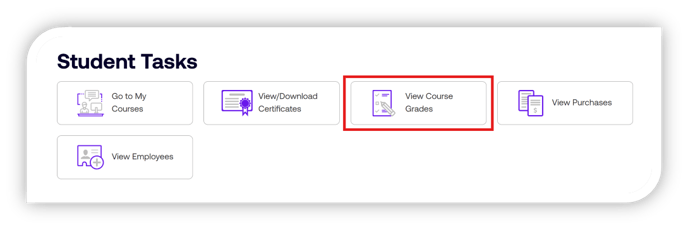
Click View Course Grades
-
Select the View Grade button next to the course name for the grades you want to access.
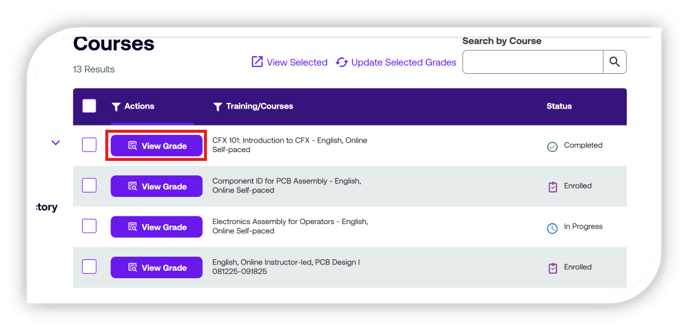
- The grades will be displayed based on the course modules and final exams.
If you need additional help, please contact us at support@electronicsu.org.
English