
-
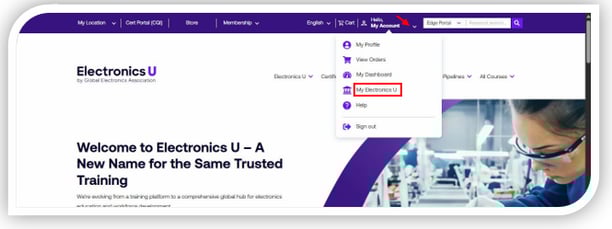
Log in at https://education.ipc.org/ and click My Electronics U to access the dashboard.
-
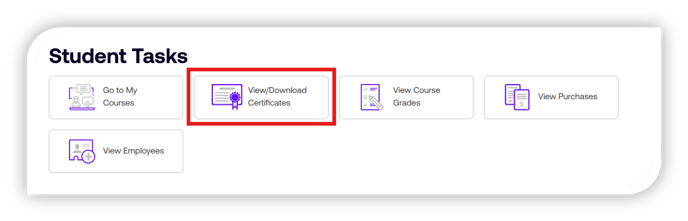
Click View/Download Certificates
- Select the Download button next to the course name for the certificate you want to access.
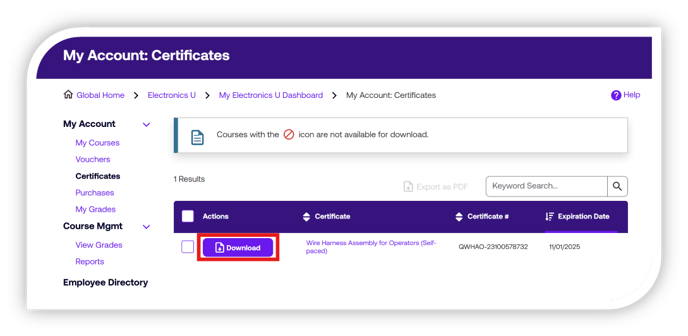
Note: The certificate will open in a separate browser window for download or printing.
If you need additional help, please contact us at support@electronicsu.org.