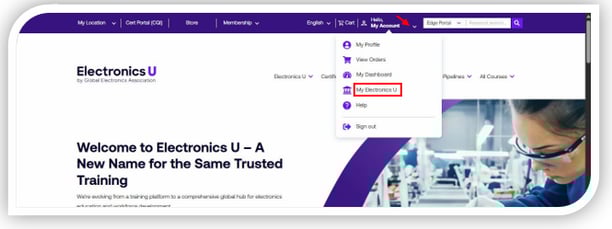
- Log in at https://www.electronicsu.org and select "My Electronics U" from the "My Account" dropdown menu.
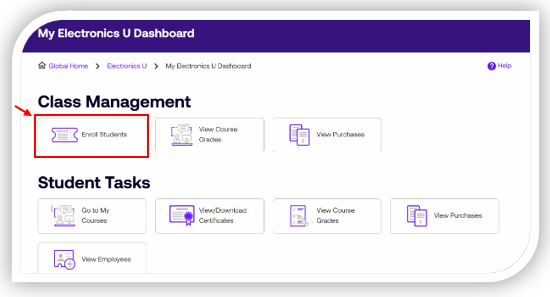
- Click "Enroll Students" in the Management section.
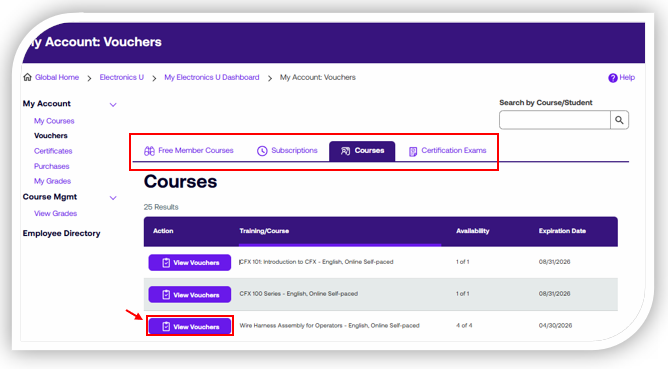
- Click "View Vouchers" for the desired course.
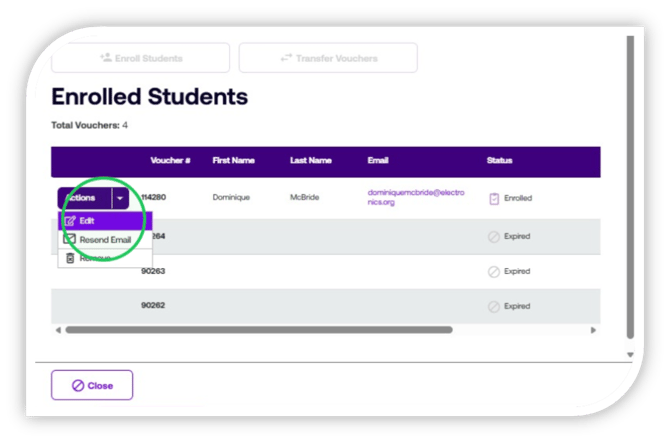
- Click "Actions" then click "Edit"
- Click the "Schedule Date" dropdown menu
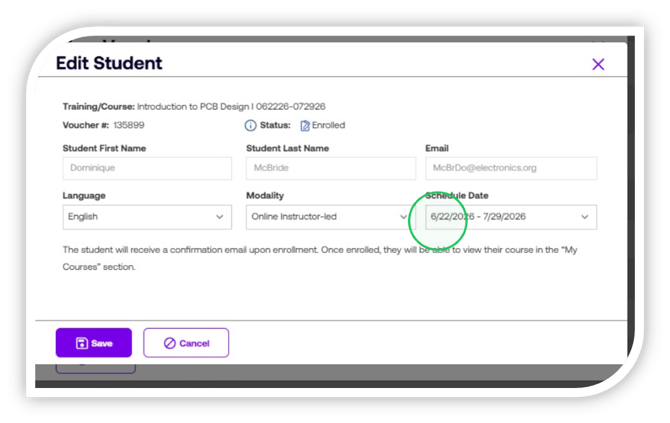
- Select the preferrred "Schedule Date"
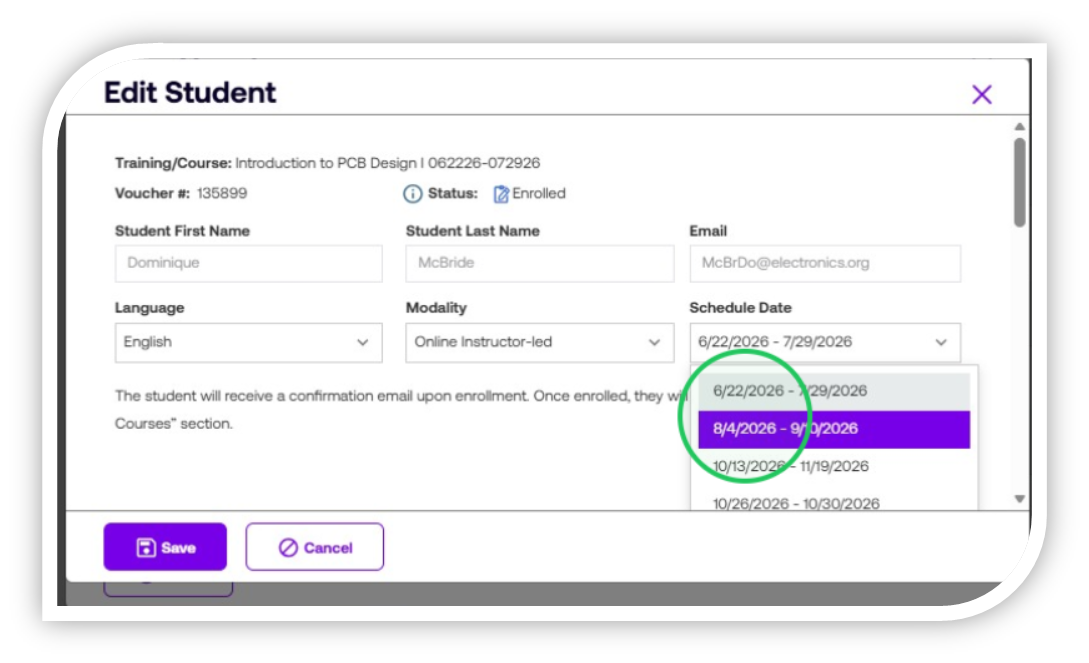
- Click "Save" to apply the changes, and "Close" to exit voucher view.
English