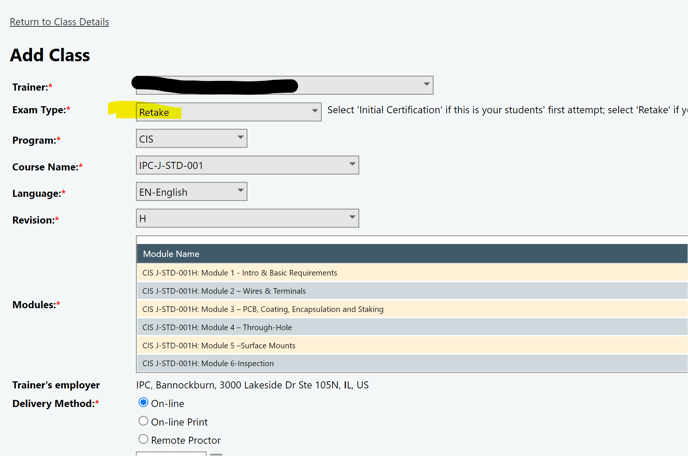
Every exam allows 2 attempts. After that, the student can be enrolled in a new class using the Retake exam type within 90 days of passing Module 1. There is a separate retake fee, as listed in the P&P, and this will also automatically notify our team to reset the failed attempts. This process takes an overnight refresh of the database, so schedule accordingly. Be sure to use the same mode of testing: online, paper, or remote. Additional modules are included in this process.
The process for a 3rd attempt is as follows:
-
Create a new class using RETAKE* as Exam Type and enroll the student
-
Wait 1 day - during this time, an automated message is sent to us, and we will reset previously failed scores, the system will update overnight
-
Schedule the exam time in the Edge portal
Possible issues:
-
If you cannot enroll a student because you receive a message that says

You can use the GET SCORES button on the Class Details page of the base class. Grades must be passed from the Learning Management System to the Certification portal and synced before you can enroll a student into the Retake class.